How do I cancel my subscription?
< 1 min read
Table of Contents
Note: Before cancelling your subscription, use any remaining downloads first. Once you cancel your subscription, all unused downloads will expire.
Paid By Credit Card #
If you paid by credit card and wish to cancel your subscription, follow these steps:
- Go to Account
- Click the Subscription tab
- Under the ‘Actions’ column in the table, click Cancel next to the subscription you wish to cancel.
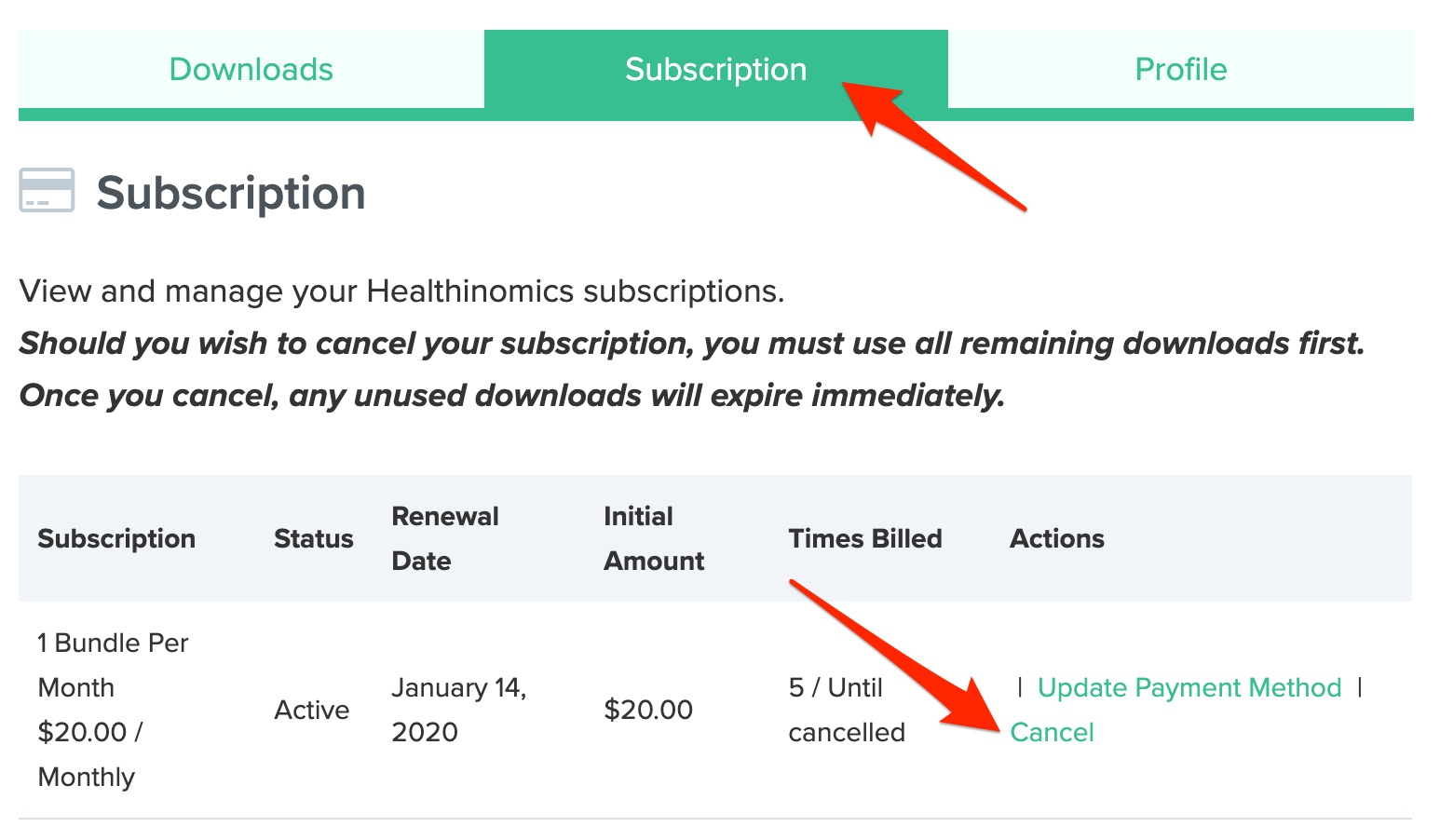
Note: Don’t see the “Cancel” link? Send us an email
Paid By PayPal #
If you paid by PayPal and wish to cancel your subscription, you will need to do this in your PayPal account.


